VidToLive turns a video from your photo library into a real Live Photo. Trim a 1.5–3 second clip, choose the cover frame, save it — then set it as your moving Lock Screen wallpaper. Everything happens on your device.
Coming soon on the App Store. Free to download with 3 free conversions.
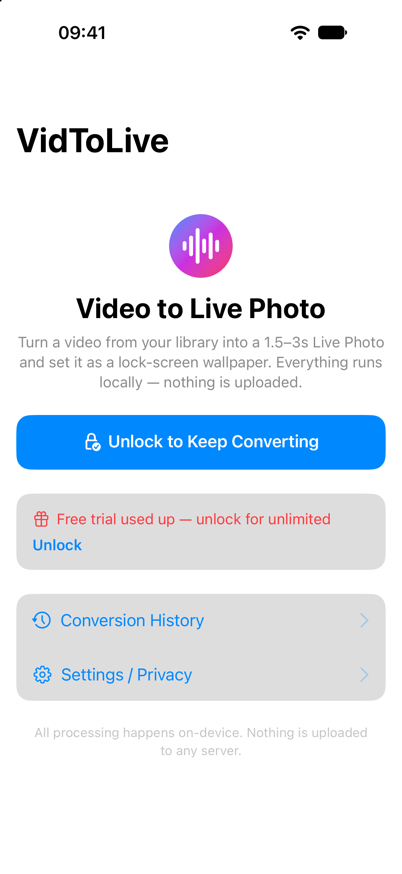
A Live Photo is more than a short video. It is a still image paired with a video and the metadata Apple requires — VidToLive writes all three, entirely on-device.
A still image and a paired video sharing one content identifier, plus the timed metadata track. Photos recognises the result as a genuine Live Photo, not a plain picture.
Drag the handles on a frame-by-frame timeline to select 1.5–3 seconds. The app warns you when a clip is too long for a Lock Screen wallpaper.
Scrub through extracted frames and choose the exact still that represents the clip. Unlocked users get full manual control; the free trial uses the middle frame automatically.
No account, no login, no analytics, no network requests for your media. VidToLive reads and writes only the videos and photos you explicitly choose.
Save the Live Photo, then set it as wallpaper with the Live switch on. Clear on-screen guidance walks you through the three steps iOS requires.
Ten fully localised languages, switchable instantly inside the app — no restart and no system-wide language change.
No editing timeline to learn, no export settings, no waiting for an upload. The whole flow stays on your screen.
Pick any clip from your photo library. Nothing is uploaded or copied to a server.
Select 1.5–3 seconds on the timeline. Shorter source videos use their full length.
Slide through extracted frames and pick the still image that represents the clip.
One tap generates the Live Photo in Photos, then follow the steps to set your Lock Screen.
A short, focused flow — four screens from a video to a Live Photo. Actual screenshots from the running app, not renders.
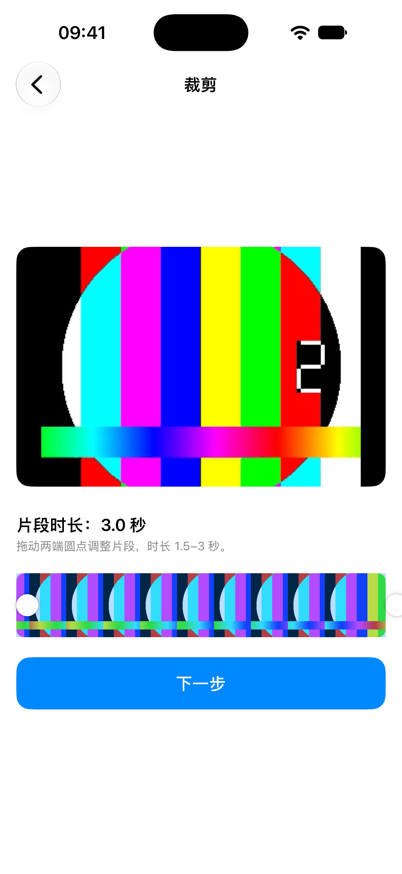
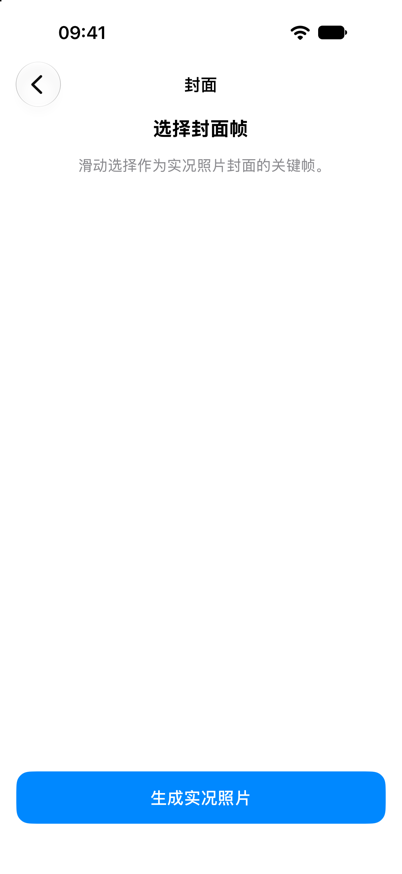
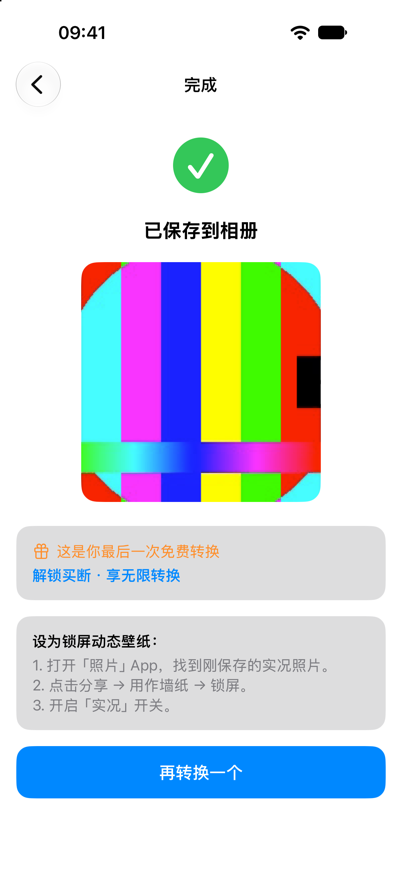
Screenshots are taken from a development build with sample video content.
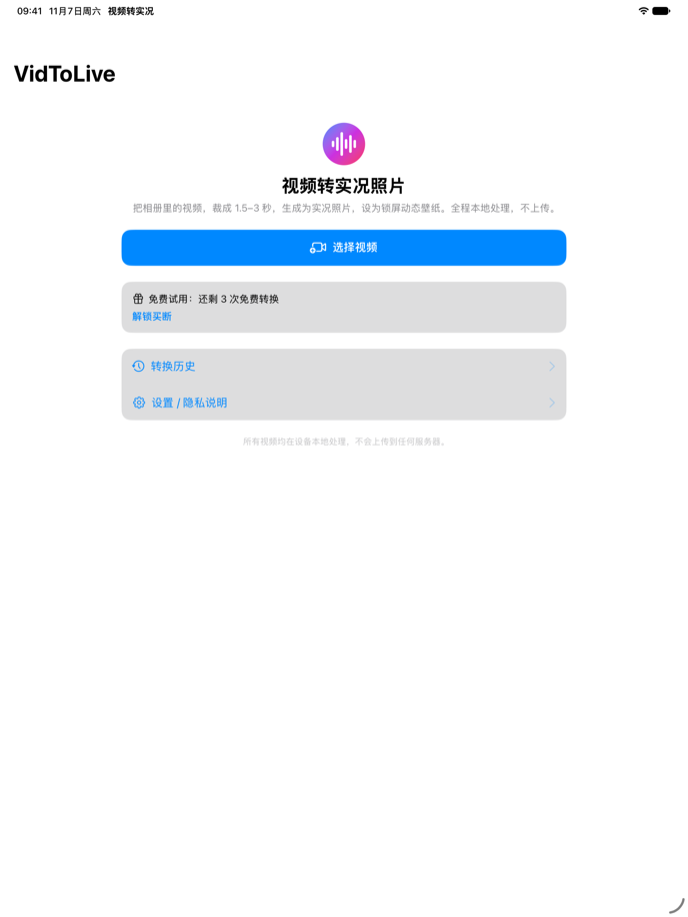
VidToLive is a universal app. On iPad the content is centred, the preview gets larger and the trim timeline has room to breathe — including Split View and Stage Manager.
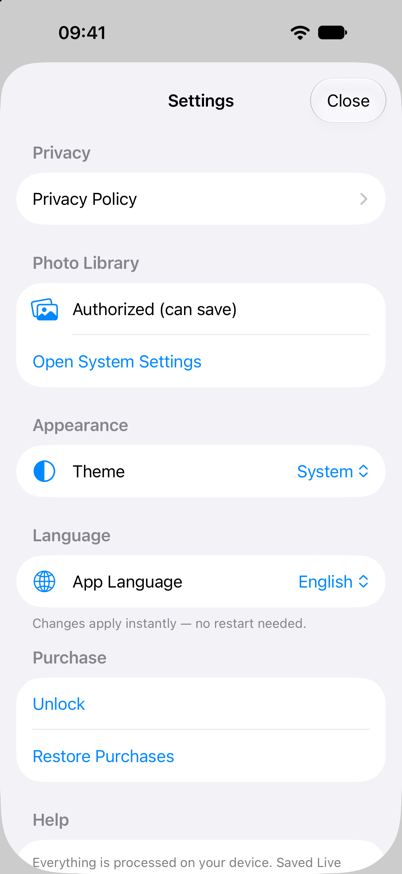
Switch the interface language instantly in Settings — no restart, no system-wide change. This site follows the same set.
The app and this website share the same 10 locales, including full hreflang tagging for search engines.
VidToLive has no backend. There is no account, no upload, no analytics and no third-party SDK collecting your data.
Read the full privacy policy →Trimming and Live Photo generation use AVFoundation and PhotoKit locally. Your video never leaves the device.
No sign-up, no email, no push notifications. Unlock status is stored on-device only.
The only permission requested is photo library access, and only when you pick or save a video.
Three conversions are free. A single one-time unlock removes the limit — no subscription and no recurring charge.
Three conversions, no time limit
Unlock everything, forever
It converts a short segment of a video into an actual Live Photo — a JPEG still paired with a MOV — and saves it to Photos, so you can use it as a moving Lock Screen wallpaper.
iPhone and iPad running iOS 17 / iPadOS 17 or later. It is a native universal SwiftUI app; there is no macOS or Android version.
No. VidToLive has no server. Trimming, frame extraction and Live Photo generation all happen locally with AVFoundation and PhotoKit. There is no analytics or tracking.
iOS does not allow third-party apps to change the system wallpaper. VidToLive saves the Live Photo and shows the three steps: Photos → Share → Use as Wallpaper, then switch Live Photo on.
No. Three conversions are free; a single one-time in-app purchase unlocks unlimited conversions and manual cover-frame selection. Restore Purchases is supported.
1.5 to 3 seconds works best. Longer clips are accepted, but iOS may not play the entire motion on the Lock Screen.
Free to download. Three conversions on us. One small unlock if you want to keep going.
Download on theApp Store VidToLive